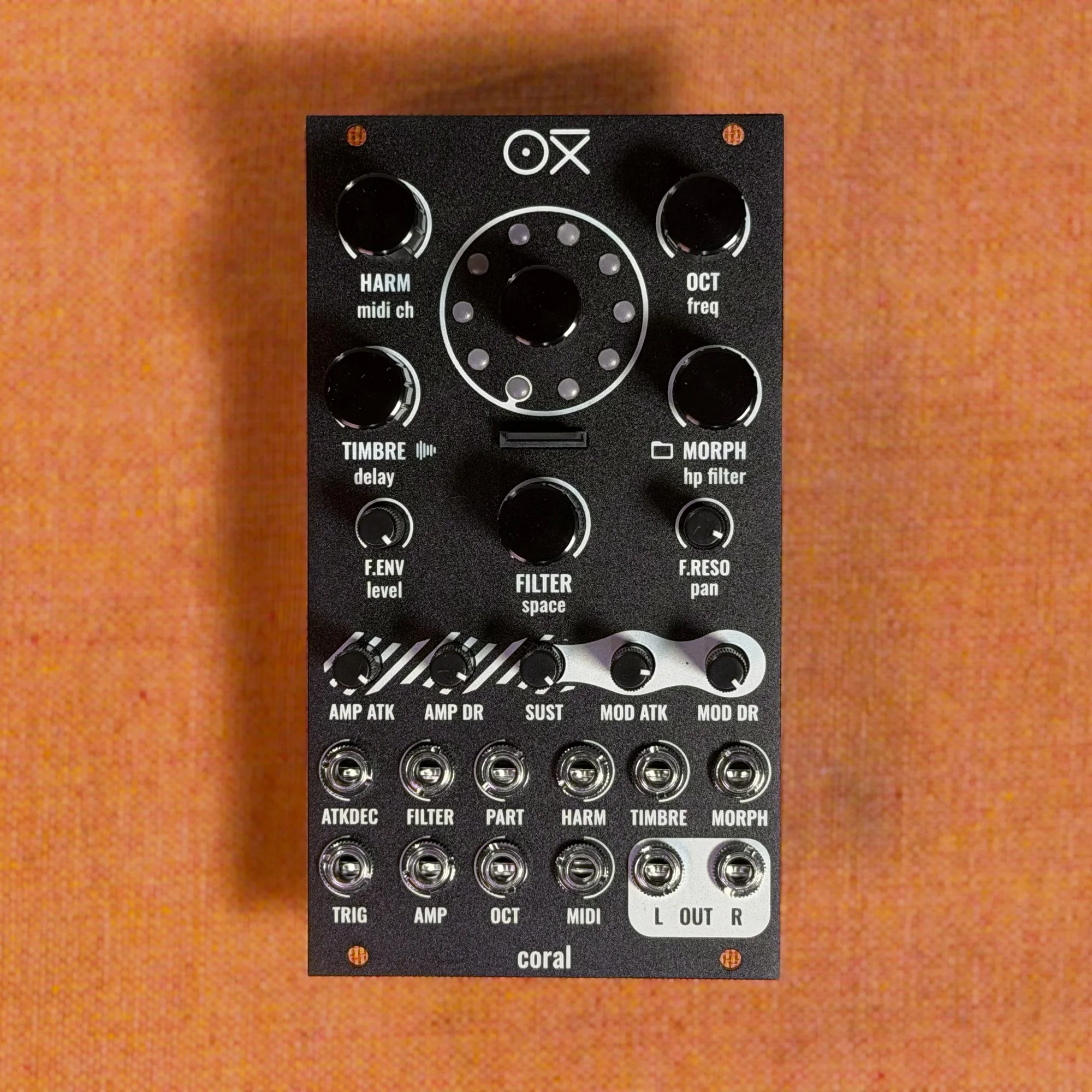
Welcome to EP.2 of the OXI Coral guide series. This time we'll cover the basics of CV control.
OXI Coral has 8 CV inputs, letting you control various module parameters in real time from external CV sources. Combining it with sequencers like the OXI ONE, LFOs, and envelope generators unlocks rich modulation that you simply can't get with MIDI alone.
Takazudo Modular publishes manuals and related documents with Japanese translations. See the links below.
- Basic Patch Setup
- Patching CV to the Amp Input
- LFO Modulating LFO
- Using Modulation Lanes
- CV Control of Attack/Decay
- CV Control of Filter Cutoff
- CV Control of Timbre
- CV Attenuation Trimmers
Basic Patch Setup
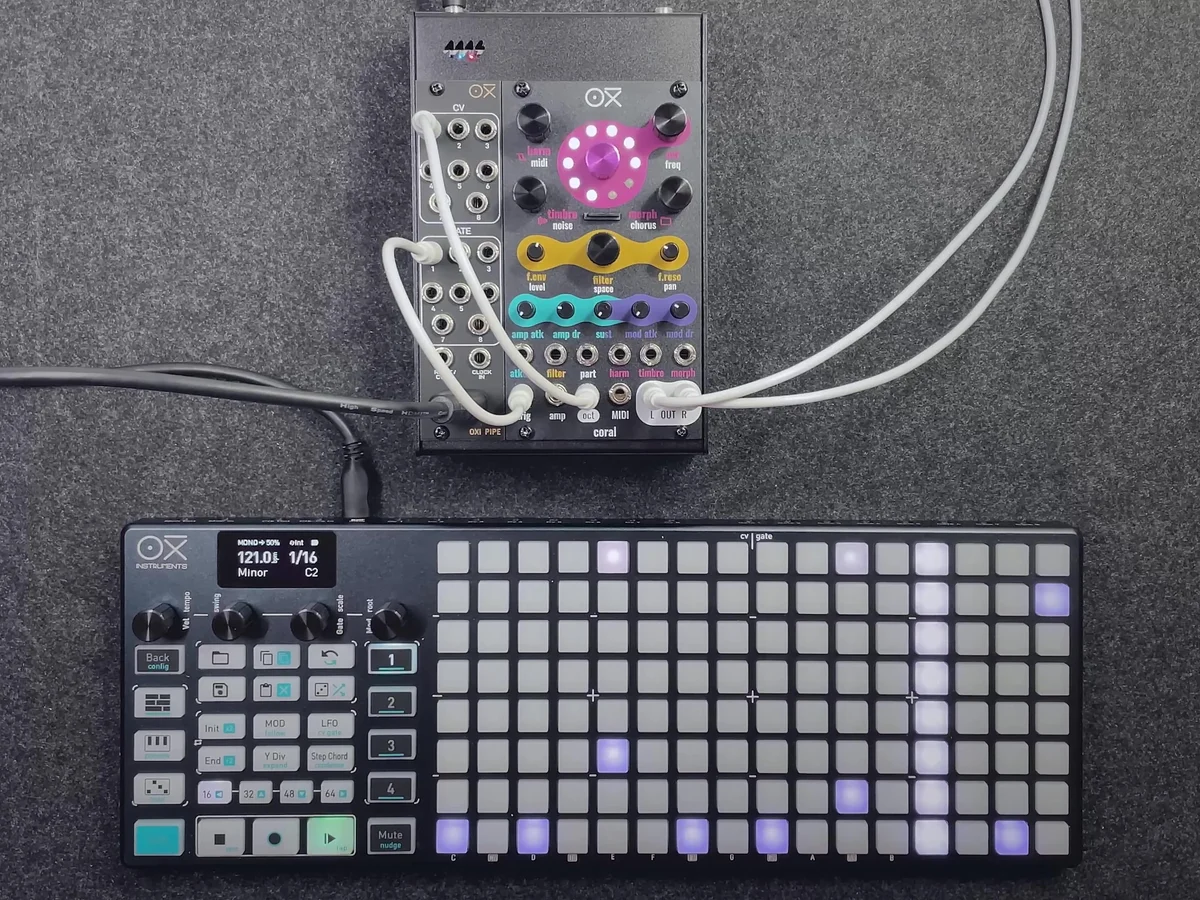
The EP.2 video starts with a simple patch combining the OXI ONE and OXI Coral. Connect the OXI ONE's CV output to Coral's oct (octave/pitch) input, and the OXI ONE's Gate output to Coral's trig (trigger) input.
Sending pitch CV to the oct input changes Coral's pitch according to the note data from the sequencer. Sending a gate signal to the trig input triggers the internal amp envelope and modulation envelope. With just these two CV connections, you have a basic patch that lets you control Coral from a sequencer without using MIDI.
Patching CV to the Amp Input
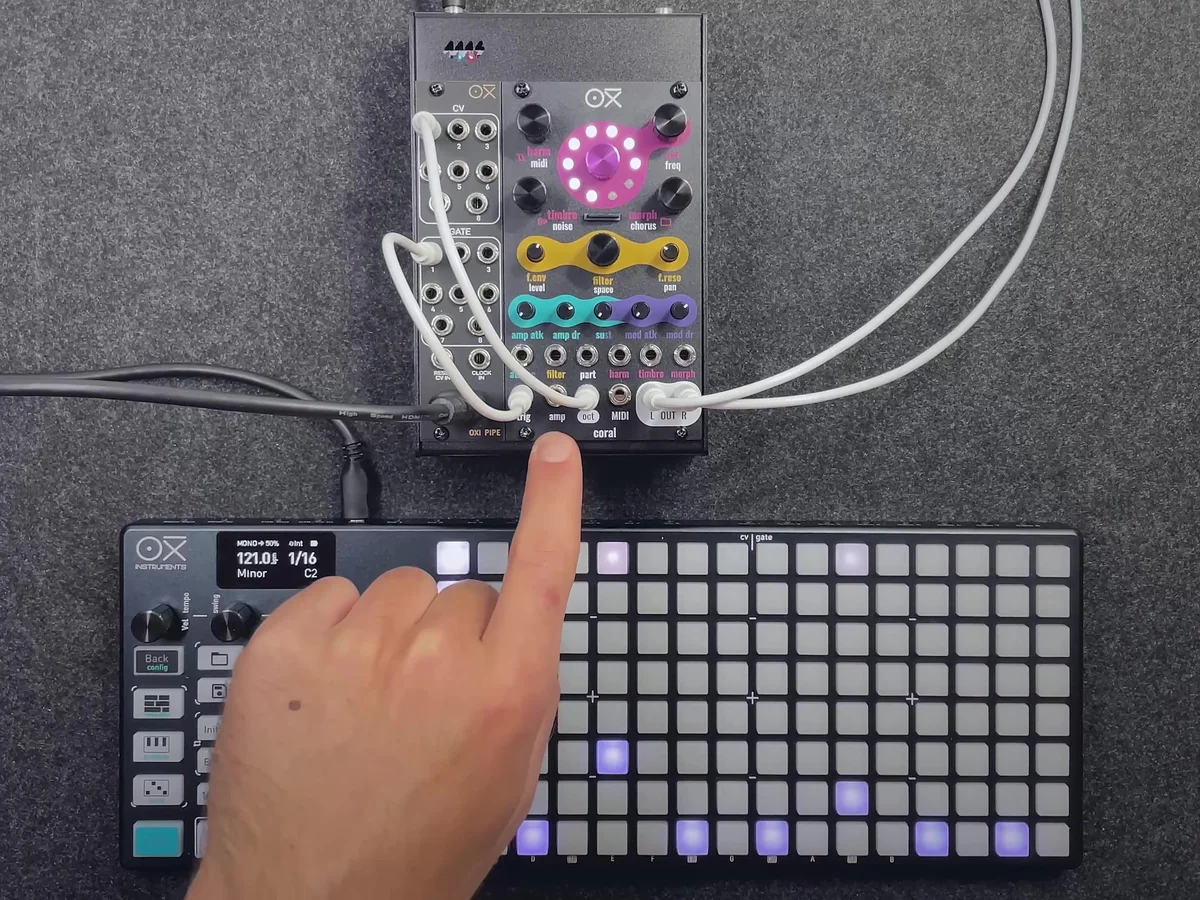
On top of the basic setup with oct and trig inputs, there's a way to directly control Coral's amp (volume) using CV. By patching a CV signal to the amp input, an external CV source gets full control over the amp level.
In the video, the OXI ONE's LFO output is connected to Coral's amp input. Once the LFO is connected, the amp level cyclically changes in sync with the LFO's waveform. This gives you a tremolo effect — the volume rhythmically wavering at the LFO's cycle, different from what an envelope produces.
LFO Modulating LFO
From the state where the amp input is being controlled by an LFO, you can add even more complex modulation. Connecting the OXI ONE's LFO2 output to LFO1's rate input modulates the speed of LFO1 with LFO2.
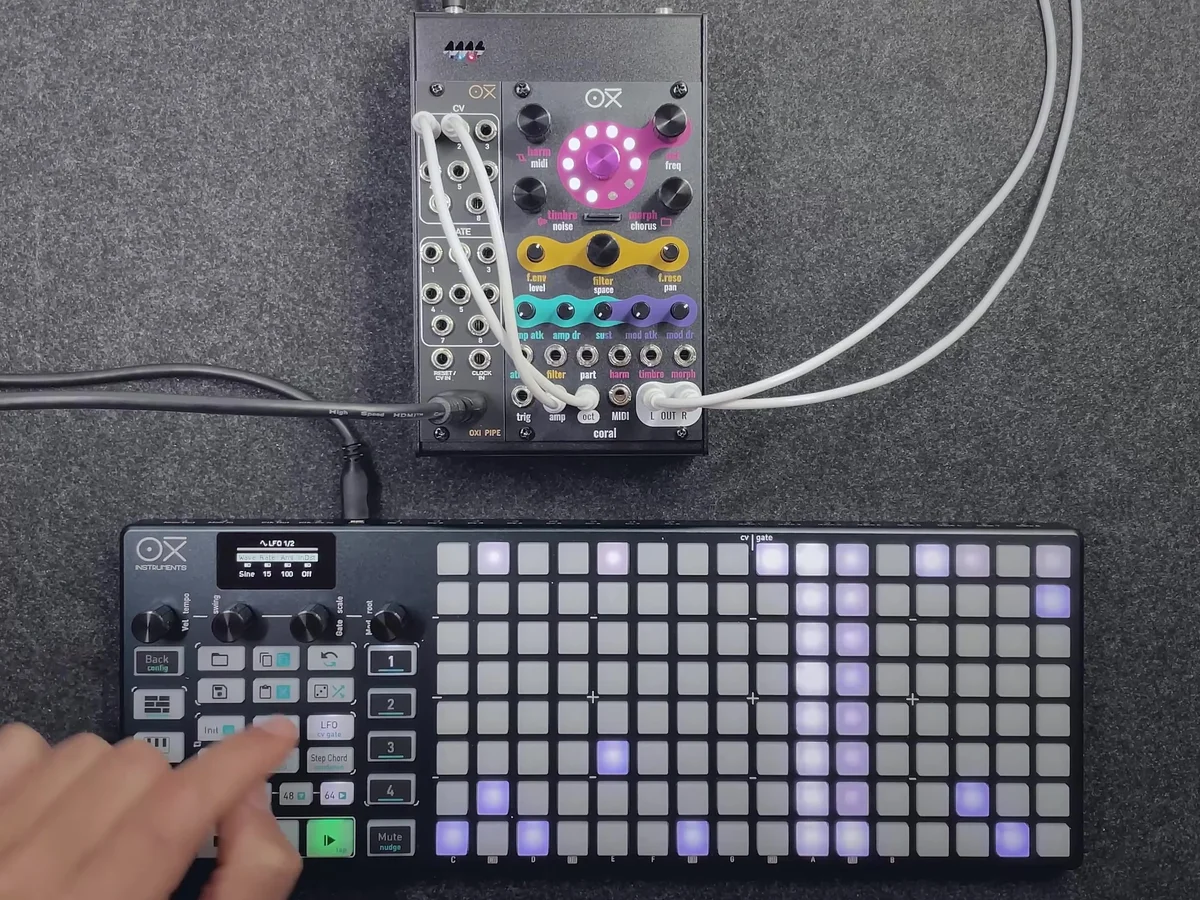
In this state, the LFO1 waveform being sent to the amp input changes dynamically, producing a more organic movement that's different from a steady-cycle tremolo.
Using Modulation Lanes
Besides LFOs, you can also use the OXI ONE's modulation lanes as a CV source. Since modulation lanes let you set different CV values for each step of the sequencer, you can create more complex patterns than with an LFO.
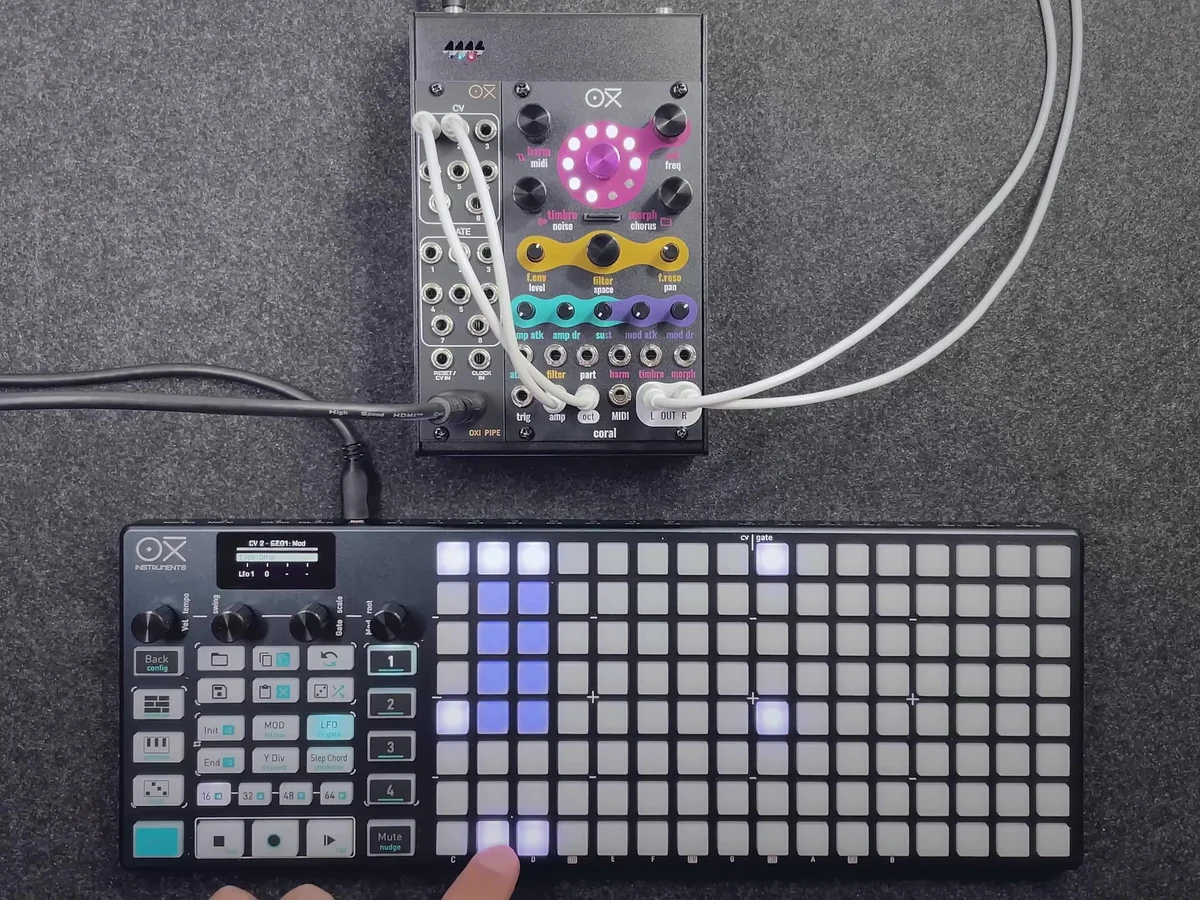
In the video, a pre-configured modulation lane is connected to the amp input, and you can see the amp changes following the sequence pattern.
CV Control of Attack/Decay
Coral's atkdec input (Attack/Decay CV) controls the attack, decay, and release times of both the amp envelope and the modulation envelope. Using this CV, you can change the speed of the attack and decay in real time from an external CV.
Sending a negative voltage to the atkdec input produces a more plucky (short and sharp) sound, while sending a positive voltage produces a softer and longer sound.
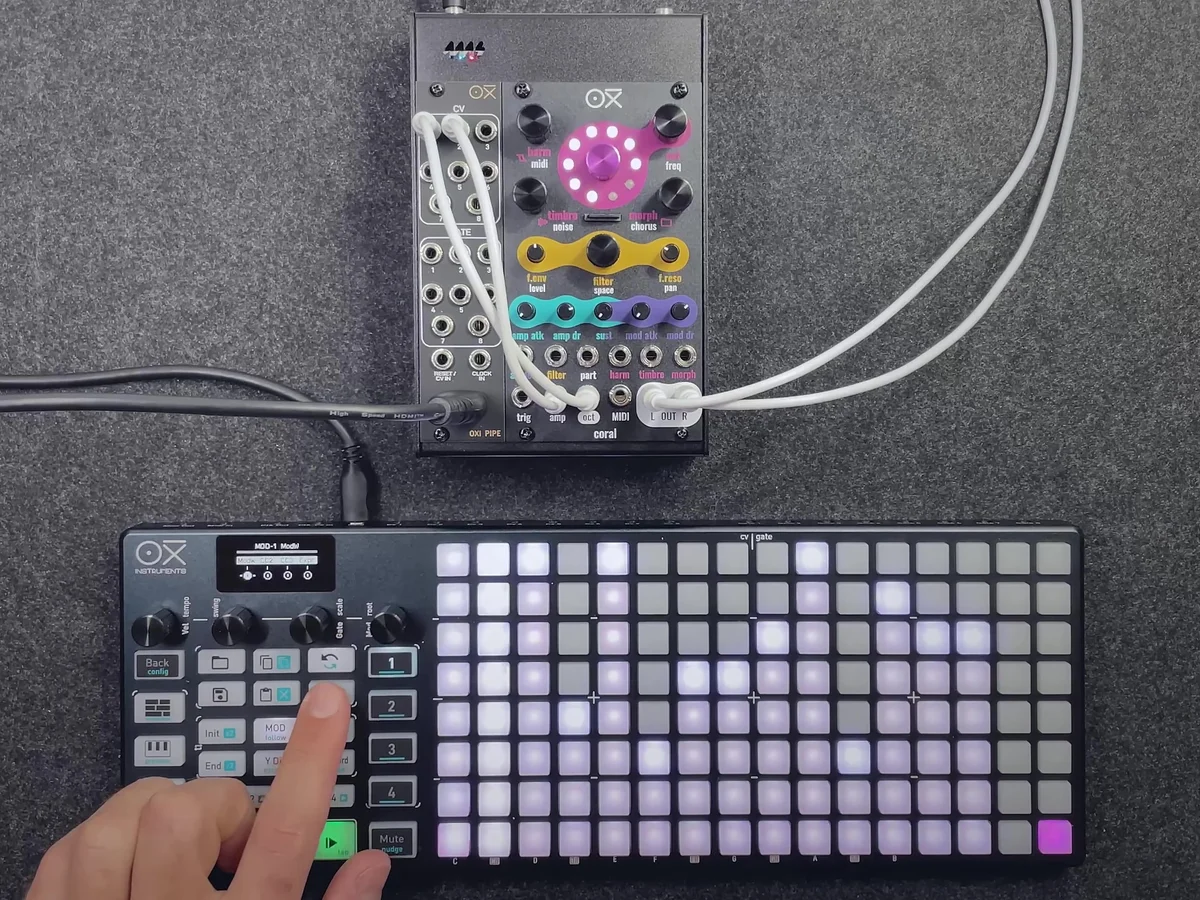
In the video, the modulation lane output is connected to CV input 2 (atkdec). The modulation to the amp input is first brought down to zero, then a separate CV cable is patched to the atkdec input.
At maximum modulation: The attack is long, and the sound is soft and extended.
At minimum modulation: The attack is fast, producing a short, plucky sound.
This control affects not only the amp envelope but also the modulation envelope at the same time, so the timing of the engine's timbre changes shifts along with it.
CV Control of Filter Cutoff
Sending CV to the filter input lets you control the filter's cutoff frequency. Positive voltage raises the cutoff (brighter sound), and negative voltage lowers it (darker sound).
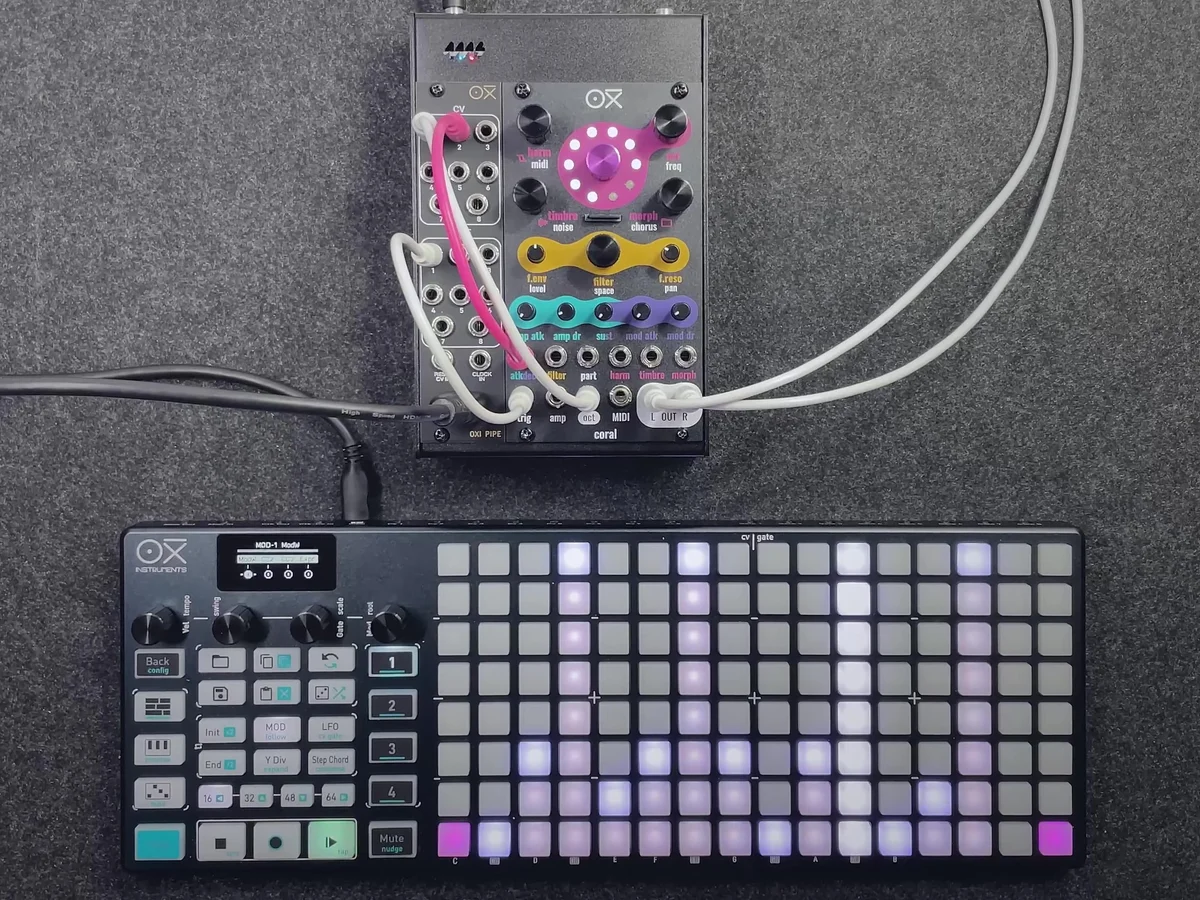
As a precondition for the demo in the video, the filter envelope amount is set to zero (so the modulation envelope doesn't affect the filter cutoff), and the filter cutoff knob is at its minimum. With these settings, connecting the modulation lane to the filter input opens and closes the filter according to the CV value.
CV Control of Timbre
Connecting CV to the timbre input (CV input 3) lets you CV-control the timbre parameter of the synth engine in use. The timbre function differs per engine, but it always affects a fundamental characteristic of the sound.
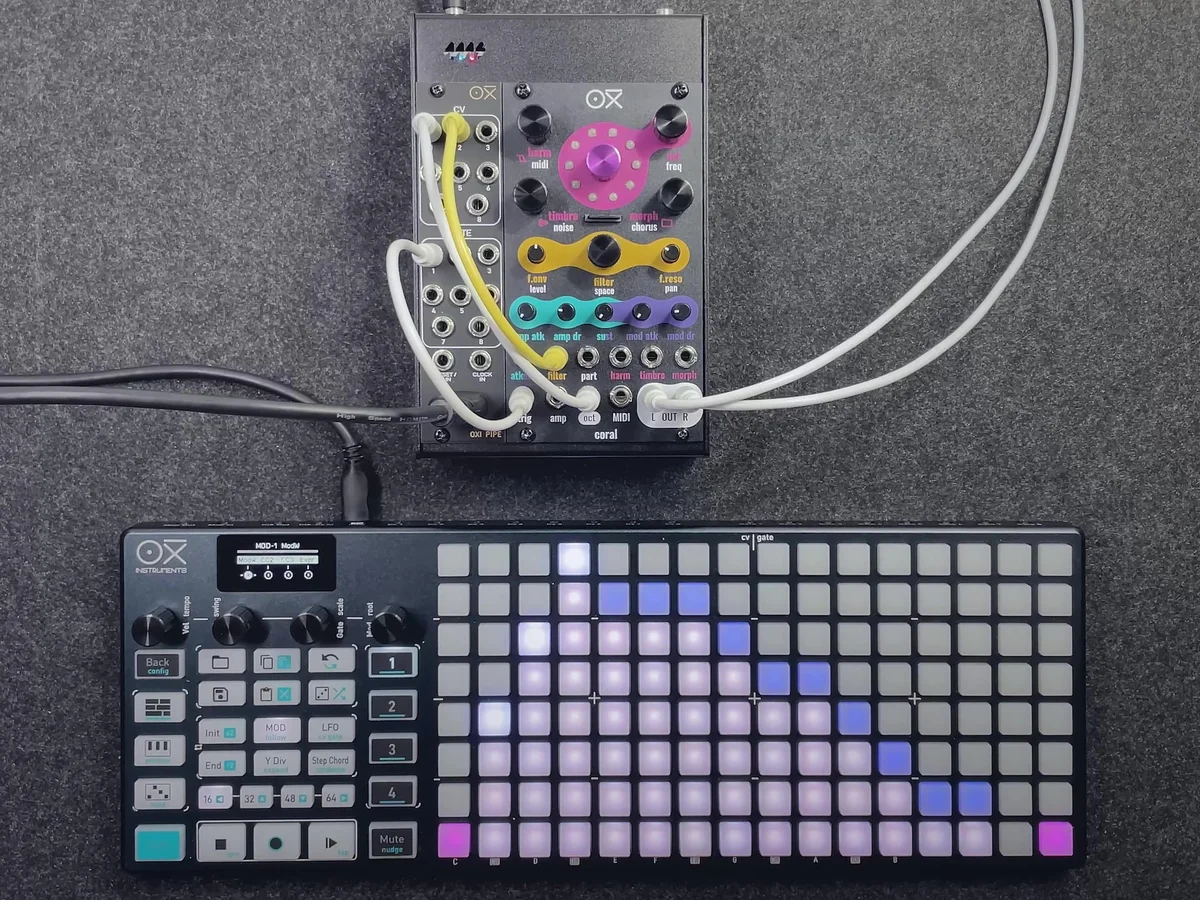
In the video, the OXI ONE's LFO1 output is connected to CV input 3 (timbre). At this point, the modulation lane is patched to the filter input and an LFO is patched to the timbre input simultaneously. Having two CV signals modulate different parameters at the same time produces more complex, organic sound changes.
CV Attenuation Trimmers
Once you start using multiple CVs at the same time, you'll run into situations where "the CV variation is too large and it affects the parameter too drastically." That's when you reach for the CV attenuation trimmers on the panel.
There are 5 trimmers, each corresponding to a CV input as follows:
| Trimmer # | Corresponding CV Input |
|---|---|
| 1 | Attack/Decay (atkdec) |
| 2 | Filter cutoff (filter) |
| 3 | Harm |
| 4 | Timbre |
| 5 | Morph |
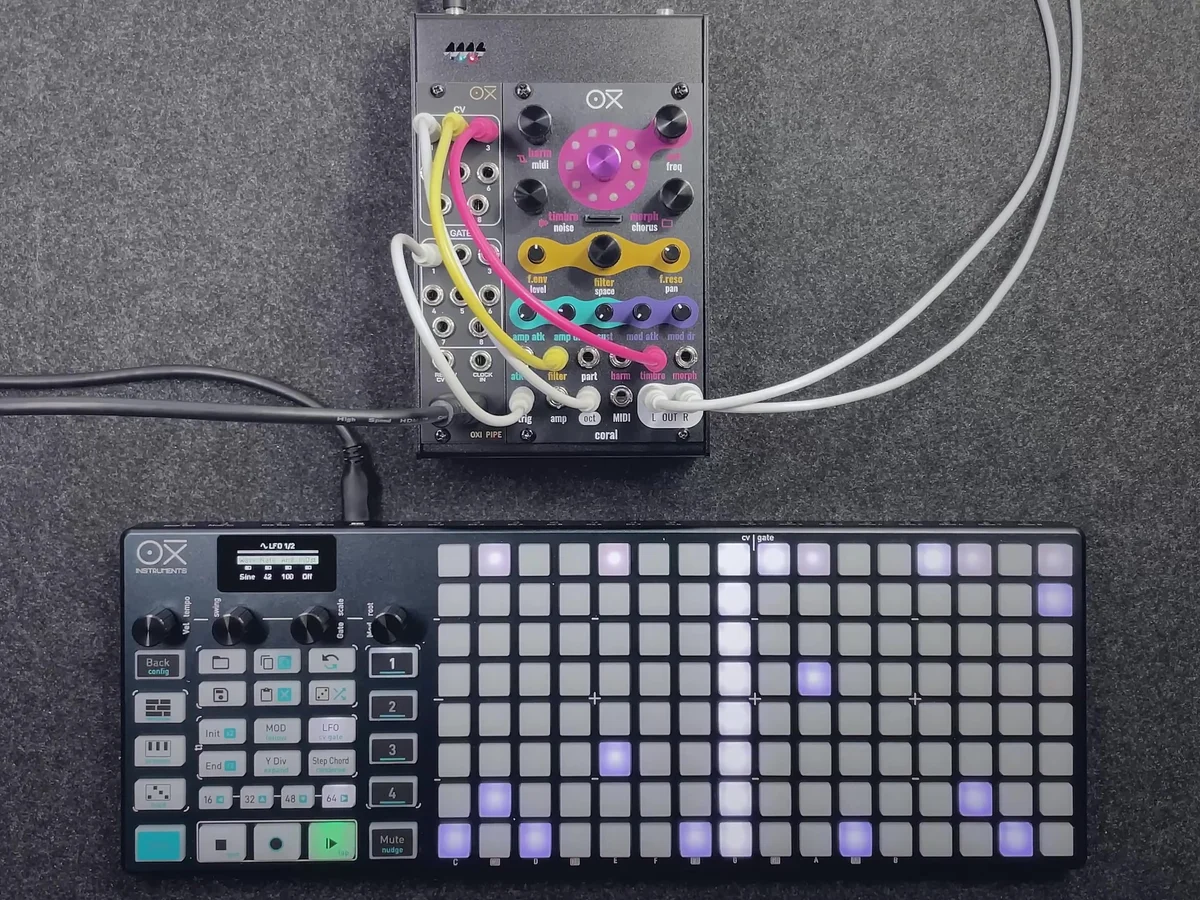
These trimmers let you dial back the depth of modulation while keeping the same CV source connected. For example, if you want the LFO's effect on timbre to be only a little, turn trimmer 4 (Timbre) counter-clockwise to reduce the modulation amount.
These trimmers function as bipolar CV attenuators as a secondary feature. When fully open, the signal from the corresponding CV input is applied to the parameter as-is, and turning them down reduces the modulation amount.
In EP.2, we covered how to use OXI Coral's main CV inputs, along with the CV attenuation trimmers.
amp input: Real-time amp level control with LFOs or modulation lanes
atkdec input: Simultaneously changes the attack/decay times of both the amp and modulation envelopes
filter input: Opens and closes the filter cutoff frequency with CV
timbre input: CV modulation of the engine's timbre parameter
CV attenuation trimmers: Individually adjust the modulation amount for atkdec, filter, harm, timbre, and morph CVs
In EP.3, we'll cover voice and engine detailed settings.
My impression is that this episode is very much oriented around combining the module with the OXI ONE. OXI Instruments developed OXI Coral after releasing the OXI ONE, so it makes sense that the OXI ONE and OXI Coral are a perfect match.
With this kind of MIDI-controlled module in particular, while you can tweak tons of parameters, the question of "what am I actually supposed to control it with?" often comes up — and it's pretty common for there to be no flexible solution and for you to just have to work hard with a MIDI controller.
On the OXI ONE (and MKII), the Instruments Definition feature lets you easily assign Coral presets, so it really is designed with the intent of using the OXI ONE and Coral together.
OXI Coral Product Details
You can view the product details for OXI Coral below.
8-voice multitimbral polysynth module in 14HP. Combines synth, sampler, and drum functions with a low-pass filter, chorus and reverb effects, custom wavetables, and multiple firmware options.
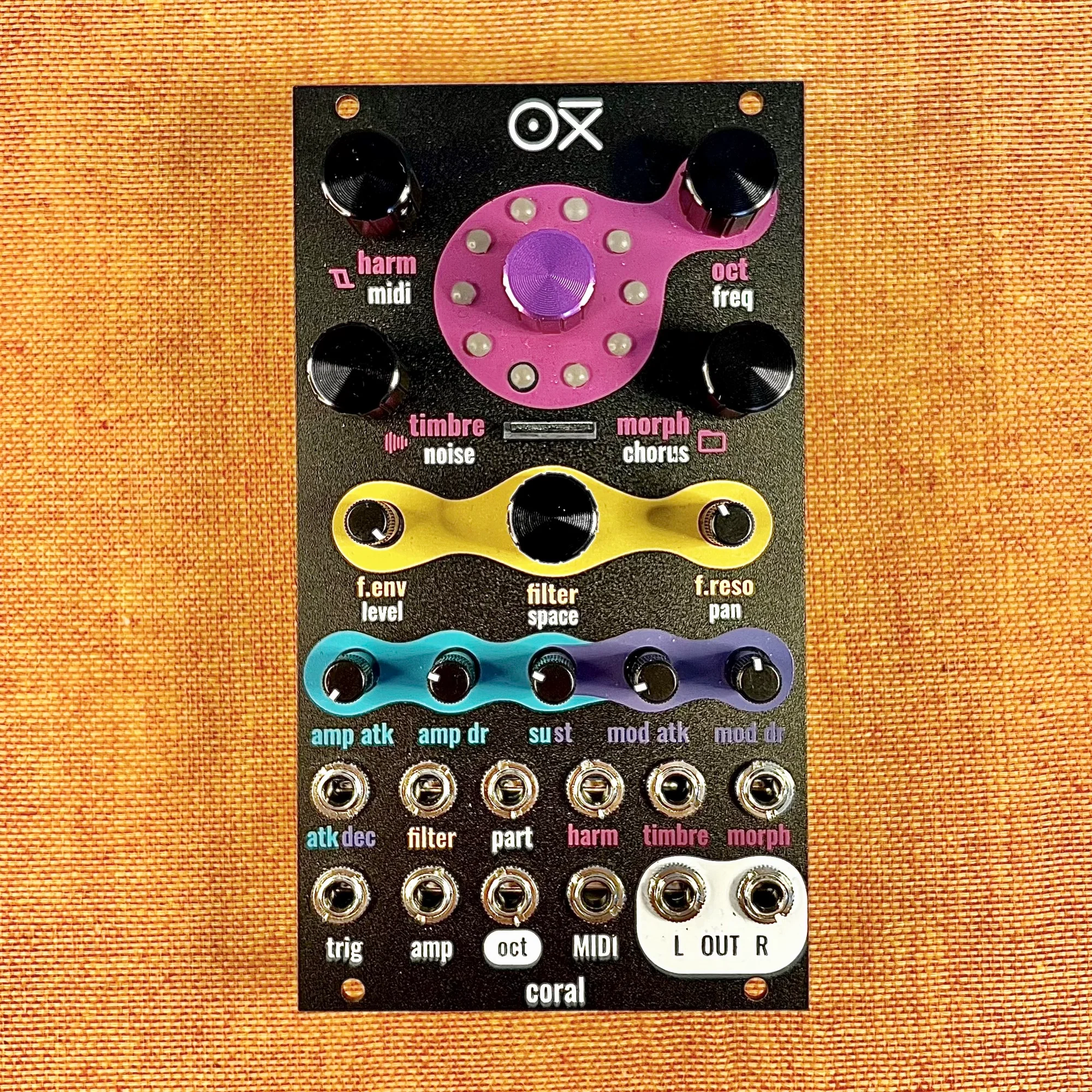
8-voice multitimbral polysynth module in 14HP. Combines synth, sampler, and drum functions with a low-pass filter, chorus and reverb effects, custom wavetables, and multiple firmware options. Black edition.